

Floating Action Button
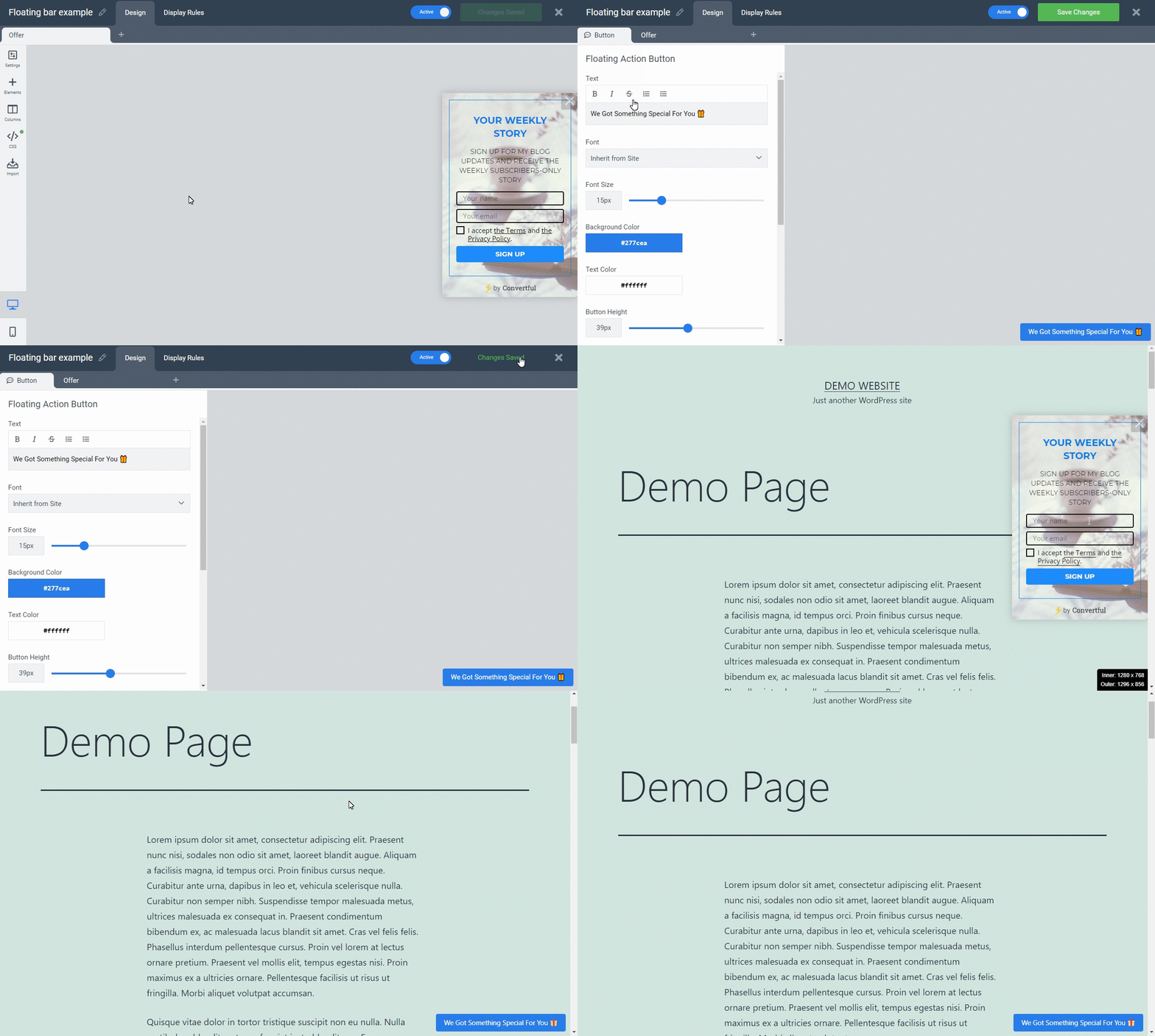
A Floating Action Button is a persistent UI element that appears in front of your page content. When clicked, it expands to show a form or offer. Visitors can close the offer to minimize it back to the button, and submitting the form makes the button disappear.
!Floating Action Button example
How to Add a Floating Action Button
Click the plus icon to create a new widget, then select Floating Action Button from the widget type list.
!Click plus icon to add widget

!Select Floating Action Button

Display Rules
When you create a Floating Action Button, a predefined trigger is automatically added. You can modify this trigger or add additional triggers to control when the button appears.
!Floating Action Button display rules

Use Case
Floating Action Buttons are ideal for re-attracting visitors to offers they may have missed or were not ready for initially. Because the button stays visible as visitors browse, it gives them a low-pressure way to return to your offer when they are ready.
Need more help?
If you've worked through this and still need a hand, contact support — we'll dig in with you.