

Features
Instagram Posting: How to Switch to a Professional Account - Social
Convert your Instagram personal account or creator account to a Professional Account.
[Update 22 Jun 2023] Having trouble where to connect your Instagram account to your Facebook Page? Watch this video update.
[Update 17 Jun 2023] Do you have a 'Creator' Instagram account type? Now you can post directly using this tool! No need to use our free mobile app anymore.
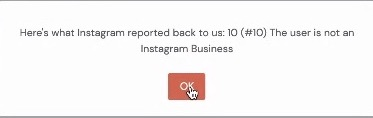
Did you experience this error when posting to Instagram using 'Publish Directly'?
"The user is not an Instagram Business"
You need to follow the steps below using the native Instagram mobile app.
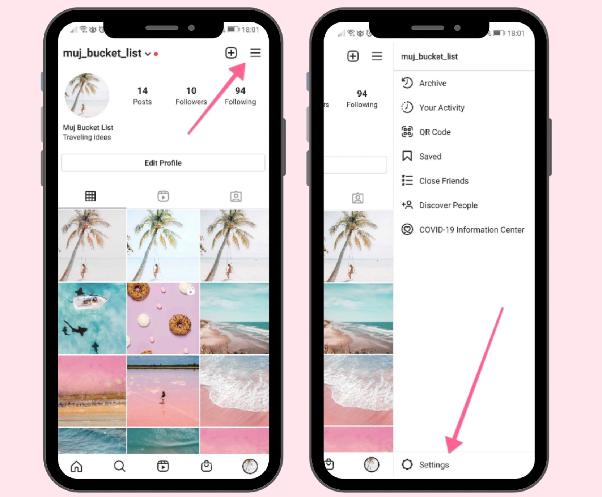
Step #1. Go to Settings.
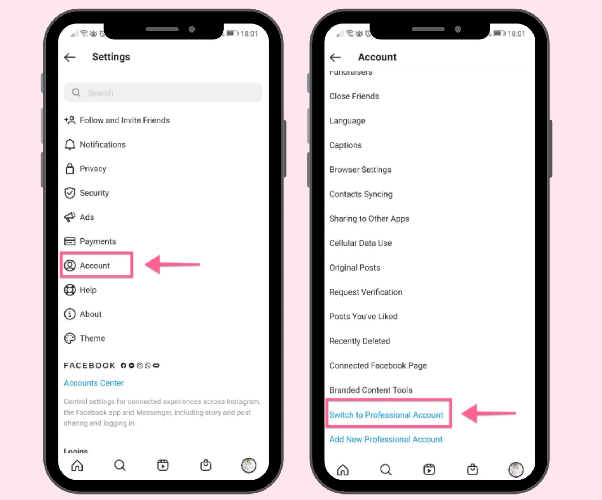
Step #2. Go to Account. Then, click on 'Switch to Professional Account.'
Done!