

Features
How to create a post from a published Facebook post - Social
Follow the instructions to create a post from a Facebook post that has been published.
You need to go to the Sent tab, find that post, click the dropdown arrow on Actions column, then select 'Open as Copy'.
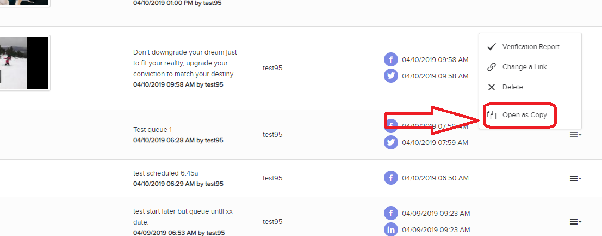
When you do this, you can create a new post from your old post, and just add the changes you like. It's the same process with LinkedIn, X and Instagram.